Thursday, March 20, 2014

Death of a Hard Drive

Diagnosis

You just never know what you're going to get hit with from one day to another. Late last week I got a call from our operator at the Five-Mile Pond Dam. He said that there was an odd alarm on the SCADA computer that wasn't going away when you acknowledge it. It was a strange alarm, but it was enough to point me in a direction:
MAC_DL Lost DB connection to SQL Server
There was also one for MAC_PTDL but since that part of the error didn't mean anything to me I figured it was probably secondary to the primary issue of the lost connection to the SQL Server. I don't pretend to be an SQL guy and I had nothing to do with how the computer was set up seven years ago. I do know that the SQL Service was running and it claimed that the database was online (this turned out to be too general to be useful).

I started to dig through the admin tools for the SCADA software (Cimplicity) and was on the verge of contacting the company that developed the SCADA for us. Before I did that I was trying to check everything I could find and stumbled into the Trends section. Trends are stored to the database but everything looked fine until I tried to close out of the Trends admin area. As soon as I tried to do that it told me that the database it was trying to use ("FiveMile") no longer existed. The list of available databases contained nothing that looked like it would be used for trends and definitely didn't contain one called "FiveMile."

Database Woes

As I said, I'm not a database guy. I am generally pretty savvy though and found my way into the SQL Database Admin tools pretty easily. At this point I found a list of available databases. This list included one called "FiveMile" but it was grayed out and next to it was the label "suspect".
FiveMile (suspect)
What does that even mean? I'm sure there are people out there who really know, but from what I found it basically means that something happened (computer crashed?) and when it started back up SQL tried to restart the database and found a problem that it couldn't repair. Thus it suspects there's something wrong.

I spent a great deal of time learning about suspect databases and emergency mode and running chkdb and all sorts of related errors and status codes. It was rough. Once I got the DB back up chkdb didn't want to run on this ancient XP machine with a 5GB database. The errors in the SCADA had changed but weren't quite gone. I thought I had made progress but couldn't be sure and was planning to do some more DB research when things changed...

Hardware Failure

I had assumed that the DB issues were stemming from the hard drive starting to fail. That wasn't quite right though, looks like the DB issues were the end of the failure, not the start. I had placed an order for a new hard drive the first day I was exploring the issues and I'm glad I did because the next day the computer died. Locked up on boot and further boot attempts resulted in "No boot device found" sort of errors. The site is 400 miles away so I couldn't verify but since my remote access was gone I was pretty sure that was it. 

These machines are old, not very good to begin with (Dell 830 tower) and in very dirty environments. I'm surprised it lasted 7 years straight. I had anticipated this though. Back in January when I was doing the network upgrades I decided to make backups of the computers (FiveMile and Quinabaug) just in case. I wasn't part of the initial plan and I didn't run it past upper management, I just did it. 

I bought a USB to SADA (bare drive) adapter and wanted a rugged external drive to save it all on. After a TON of research I ended up with the Silicon Power Rugged Armor A80 external 1TB drive. I'm not yet at the point where I would say it's the best drive ever, but it's supposedly water proof and dust proof. It has a good warranty and it includes a very short USB3 cable that slots into the side of it, which is VERY handy. I've never used any other cable with it. 

For the actual backups I went with a program called DriveImageXML from Runtime Software. I think I went with it because it was free and sounded like it did a reasonably good job. 

So, back in January I anticipated a hardware failure and back a backup of the SCADA software at Five-Mile Pond Dam. Now, in March, the drive failed and it's time to test my backups...

A Simple Drive Restore

Everybody knows that you NEVER test your backups until you need them. I am, of course, being sarcastic, but we're not in a position to have a bunch of extra hardware laying around to actually perform those sorts of tests on. So I made backups, took them away with me and hoped that we'd never need them. Yet here we are, needing them. 

My HOPE was that I could restore onto the new drive here at my house, then drive the 400 miles out to the dam and install it them drive home the next morning. I had purchased a Data-Center quality drive that was supposedly designed for long-term reliability which should arrive Monday. I'd drive out Tuesday and come back Wednesday. 12 hours of driving in two days isn't my idea of fun but without that computer there was no remote access and the operator would have to be onsite a lot more. So let's do it. 

The restore went smoothly on Monday afternoon and it looked like the drive was all ready to just be plugged in and it would work. I haven't done many windows restores so I assumed it would go smoothly and struck out Tuesday morning with every expectation of this being a cake walk. I'd install the drive in 30 minutes then be off to dinner and the hotel where I would monitor it remotely during the evening, meet the operator briefly in the morning and head out. Oh the best laid plans...

Murphy is my project manager

I arrived at the site around 4:30pm after some delays and cracked open the PC. A dead drive doesn't really look any different from a good one, but seven years of industrial dust gives a drive a strange texture:

I suppose it could have been worse after seven years. Anyway, I easily swapped in the new drive and buttoned it up. Turned it on and... .... .... No love. No boot device present. Immediately I'm like, "it must ben the Master Boot Record, it probably didn't get restored." I go to look up how to fix it and it requires the Windows install disk. Yeah... no idea where that is.

The operator thinks it's at the other plant so we run down there and manage to find a Windows 2000 dell install disk. What's the OS on the machine at the other plant? I can't remember, might be 2000... (rookie error). So we grab the disk and head back. I boot into the repair console and run FIXBOOT which is the typical first step. Still no luck. 

Things get a little hazy here as I started to get nervous. My tech cred was rapidly disappearing as the operator patiently waits for his computer to come back online. I try a bunch of stuff which may or may not have been in the following order:
  1. Realize the partition needs to be "ACTIVE" to boot so I rip the drive out of the machine and hook it back up to my laptop to fix that. 
  2. Once that's done it turns out the FIXBOOT for Win2k won't help a WinXP install. (stupid) and now there's a MISSING NTLDR error. 
  3. Operator takes THREE more trips to the other plant before we FINALLY find the windows XP dell install CD.
  4. XP Repair console doesn't really like what I did with the Win2K repair console. Out of desperation I try FIXMBR, which it tells me might mess up my partition table, but I didn't read it. 
  5. My partition table gets messed up and the drive is dead. 
At this point it's over. There's nothing I can do at the plant. We pack the computer (big old dell tower) and monitor, keyboard and mouse into my car and I tell the operator I'll fix it in the hotel tonight and we'll get it set up in the morning. I'm pretty down but determined to get this working.

Determination and tenacity win the day

I know this is it. If I want to head home tomorrow morning I need to get this done tonight no matter what. Earlier I had realized that I forgot my USB CD Writer at home (STUPID) and I saw the potential of needing to but an emergency boot disk of some sort. At the very least I didn't want to realize that I need to do that at 11:00pm and be SOL. So I tried a Target first and then a Staples and found an external SuperDrive and some blank CDs and DVDs. Then I grabbed some takeout (Subway) and hunkered down at the hotel. 

First order of business was to restore the data again. I repartitioned the drive (set partition 0 to Active) and began the restore. Thankfully there's not a lot of data on the drive and it only takes and hour or so to restore from the external drive. During this time I'm talking to my wife and kids and the question on everyone's mind is, "You are still coming home tomorrow, right?" My answer is that this is still the plan, but in my heart I was not yet at a point where I was making progress.

With the data restored I pop it back into the tower and boot. No luck, just as I thought. So the Windows Repair console didn't seem to help much last time so I tried something new. I had downloaded something called the Ultimate Boot CD and installed it on a USB drive. I tried to boot the dell off the USB and it works. Unfortunately the Ultimate Boot CD is anything but straight forward. I spend about 30 minutes gingerly navigating the tools on the CD (USB) before giving up. Nothing makes sense and the documentation is all out of date. 

Back to the Windows XP Repair Console. This time when I start the console it asks me which Windows install I want to repair, this is new, and lists C:\Windows. I'm very excited. It's recognized something new that it didn't last time and I eagerly selected that entry.
Please enter the Administrator password: 
Oh, no. I try all the standard options and nothing works. Every three attempts I have to reboot and launch the repair console again (about 5-10 minutes each time). I've got no idea. We only used the "Operator" user and never the Administrator so nobody has any idea. The repair console won't let me  repair without the password. Ugh.

I remember anticipating this issue at the other plant back in January. I had made a CD of the Offline NT Password and Registry Editor, a tool I had found that supposedly allowed you to reset windows passwords. Well if ever there was a time to test it out... I dig it out of my bag and try to boot off it, but it wont boot. Crap. Try again. Finally it boots. I don't know what the issue was but it does finally boot and the provided instructions for the tool are perfect. Everything goes smooth, I reset the Admin password and I'm finally able to boot into the Repair Console! Whew!

Of course we're not done yet. I start again with the FIXBOOT command. It appears to work correctly and I reboot the machine. There's no boot device error this time which is GREAT, but instead I get another weird error:
Windows could not start because the following file is missing or corrupt: <Windows Root>\system32\hal.dll
HAL.DLL.
What the hell is that? First link off a google search sends me to About.com but is promising. It provides a list that I start going though:

  1. Reboot, could be a fluke. Nope didn't work.
  2. Check bios boot order. Yup, it's fine.
  3. Run XP restore command. Looked this up, didn't like the look of it. Skipped it. 
  4. Repair boot.ini. Restored boot.ini from a backup, I'm sure it's fine.
  5. New Boot Sector. This is FIXBOOT. I did this.
  6. Recover bad sectors. New drive hopefully this isn't it.
  7. Restore HAL.DLL from XP install CD. Really? I just restored from a backup, this should be fine.
  8. Repair Install. Risky.
  9. Clean Install. No way...
Not feeling very good about this HAL.DLL thing. I decide to be more thorough. I go back up to boot.ini and start trying to look into it. The Repair console doesn't give you a lot of options and I eventually remember the MORE command to view text files. Running MORE on boot.ini gives me some crap that I don't fully understand. It shows a "path" to the hard drive where windows is supposed to be installed. Doesn't look quite right. Seems like it SHOULD be saying partition 0, not Partition 1. So I do some research into how to edit boot.ini which leads me to the BOOTCFG command which has an option to display the currently available OS installations. Sure enough it shows Windows on Partition 0. So somehow there was something else on Partition 0 of the original hard drive that I didn't back up (or restore), oops.

Some more searching lands me a bootcfg tutorial which helps me add the correct drive to boot.ini. 

BOOM!

No more HAL.DLL errors and the machine boots up and seems to be running fine.

FWEW. 

I have a new level of loathing for Windows but at least I can say I learned something. I ran some more tests and in the morning we set it back up in the plant and everything is running smooth. YES! After a quick trip to staples to return the stuff I bought the previous night I'm on my way home. 

Wow. What a day. Anyway everyone was happy and I'm glad I was able to get everything working. I'm still not completely happy with the backup/restore process but it was WAY better than nothing. 

Thursday, February 13, 2014

Network Security at a Hydro Plant pt. 1

The small hydro industry is pretty old fashioned. Many of the people working in it come from old industrial backgrounds or have been doing hydro for a long time (or both). I mean absolutely no offense by this, it's just that you don't really fall into small hydro by accident. It's not a entry level job out of college and most people have never even considered that a private individual could own a hydro power plant.

Through no fault of their own this typically means that from a computer/technical side the small hydro industry is pretty far behind. If you go to the hydro conferences (which I did) you don't see anything about network security, remote access, or even the HMI/SCADA systems that almost every plant has. Frankly I was surprised to see almost nothing regarding PLCs and automation at the hydro conference. There were vendors who would give you "water to wire" which it appeared would also include a PLC and HMI/SCADA but to call it secondary would make it seem more prominent than it was.

So we've been acquiring new plants which are badly in need of some TLC and many of our old dial-up remote access systems are now failing. This has lead us to look at how we can put our plants online (the internet) without needlessly exposing them to hacking threats. If we're online there's always the possibility of hacking so we want to get the best security possible. The challenge was that we're securing multiple sites (11 at the time of writing this) and we're still small business size so we can't invest a ton of money in each site. Think about it, if we had only one location to secure with all our infrastructure it would be pretty straight forward, but we have no infrastructure and 11 separate sites to secure.

The Cyberoam CR-15wING Unified Threat Management appliance

Cyberoam CR-15wING

After some shopping around and experimentation we settled on the Cyberoam CR-15wING Unified Threat Management appliance. Cyberoam is a smaller player in the network security world (than CISCO) and they're currently big in Europe and Asia and still breaking into the US market. After my frustration with CISCO's ISA-550W and it's subsequent EOL (we can talk about that later) I set out to find a solid network security appliance with reasonable cost and support contract. 

Enter Cyberoam. On a whim I contacted them about our needs and how they could fit in and immediately got a call and an offer to have an evaluation unit sent to me immediately. After checking their prices (which were very reasonable) I agreed. I need to confess to not being a network guy so I don't want to pretend to be an expert, but I was quite overwhelmed by the CR-15. I can only compare it to the CISCO ISA-550W which was a small business network security appliance priced similarly. The Cyberoam interface was significantly faster and more stable than the CISCO. It appeared to be much more powerful as well. It was certainly more complicated for someone like me to deal with. Had Cyberoam technical support not spent three hours on the phone with me walking me through the setup I would have given up and sent it back. They were very patient and in the end I came to understand how much more secure then new SSLVPN was vs the CISCO IPSEC VPN. 

I'm also beginning to understand more about how to segregate our control systems from the regular intranet at our sites. By restricting access to the control systems we can further prevent intrusion. I'm still working on understanding everything about the Cyberoam device but for our small hydro plants I believe we have a solid platform with a lot of room to grow. 

Look for part 2 with some more information about how we are securing our sites. 

Wednesday, February 12, 2014

Utility Belt Prototype

So, aside from hydro, I've been working on designing my own bags and utility belts. Back in July I finished my first prototype, but never blogged it.

The utility belt I designed and created in July was created specifically to allow me to carry a few specific items around with me easily while working:

  • Phone (sized for the iPhone 5 carried horizontally)
  • Flashlight (AAA size)
  • Knife (specifcally the Leatherman CS4)
  • Pen (of some sort)
  • Pack of 3x5 index cards for notes
  • Something else (undesignated pouch)
There were a bunch of other items I had that I was playing around with but those were the most important. You can see some of my design ideas here.
The second from the top was chosen to be the first design I made.
I also spent a lot of time trying to decide on and then acquire the appropriate materials. I settled on waxed cotton canvas and wool as my main two materials. Waxed cotton ended up being very difficult to find in small quantities. Eventually I found someone on Etsy who was willing to sell me two yards of grey waxed cotton, which I'm not even close to being done with.

So it took me a good deal of time and experimentation, but back in July I produced my first prototype. I've been wearing it nearly every day since and I'm happy to say that my design was sound. My technique has continued to improve but ultimately it was a wild success as a prototype.
Prototype utility belt after six months of use. 
You can see the finished product here after I've been wearing it for about six months. I wasn't very good about finishing the edges so there's some fraying but all the seams are currently still solid.

So the design I came up with started with the belt. The belt is made from a backing of 1/16" industrial wool felt with 1.5" seatbelt nylon as a middle layer. A 1" nylon top layer holds the Cobra brand 1.5" buckle. These buckles are really sweet but quite expensive. They're technically overkill but I was set on using them and they're great. This belt is solid and doesn't slide around because of the extra friction offered by the wool bottom layer. It is somewhat adjustable (~4") allowing me to wear it over jeans or over insulated coveralls.

The pouches here are the same shown in the drawing and worked out quite well. At the time of construction I added another small pouch for soap stone (used to draw on metal). I used waxed canvas for just about everything but added on some grippy black material I found at Ragged Mountain onto the pockets and a contrasting yellow to the inside. I decided to use strong magnetic clasps in the smallest size I could find. I got them from ... and they ended up being perfect. I didn't do a good job of reinforcing the flaps so I added extra stitching later which looks strange, but it works. The trick with the pouches was to use the industrial wool felt as the backing for them. The belt goes through the pouch between the felt and the canvas so the felt of the belt is against the felt of the pouch providing excellent friction. The keeps the pouches from sliding around your body in general use without making them hard to move it you want to move them. It was an idea I had that ended up working perfect.

One idea that didn't really work well was the universal pouch that I added. The idea was to have a pouch that could hold a variety of things but ultimately it couldn't. I even added an extra long flap with a second magnetic snap so you could fasten it looser or tighter. It was a good idea, but the pocket itself was not well constructed. I didn't know how to make good pockets and things like falling out of it. Additionally it was just the wrong size. Nothing really fit in it well other than a granola bar. Oh well.

Ultimately I learned a lot and I'll post some of the other bags I've made since.

Prototype in progress.


When your dam is empy on the inside its a ...

Hollow Dam.

Hollow is our latest project. It's another old Algonquin site out near Gouverneur, NY. A group of us took a nice drive out there this week to look at what it would take to give the site a control upgrade much like we did at Burt Dam. The weather held out pretty good for us and we got a lot done.

You can see the "open" turbine at the left. 
The site has some very unique turbines. They are vertical cylinders that contain the turbine and the generator and act as a gate. The entire cylinder raises up by about three feet which opens the "gate" allowing water to flow into the cylinder and through the turbine. The turbines themselves have variable pitch blades allowing the operator to regulate the water flow and power generation to some degree. Unlike most of our plants, there's no real powerhouse around the turbines, which makes winter repairs rather annoying. Beyond this, though, they seem pretty reliable and produce about 1 MW/h (1000 KW/h) at peak. The two machines are identical and are rated at 530 KW/h each but tend to max out around 500 which is still good.

This is the rig around the two turbines to allow for maintenance.
Because of how the turbines are configured, the control room is an entirely separate building down below the dam. It's a bit cramped but nice and quiet, unlike most of our plants where the controls are in the same building as the turbine. The control panel appears to be similar to a lot of the plants I've seen recently. It was upgraded in the 80's and from there the bare minimum was done to keep it running.

The PLC is an old Toshiba model (same as Burt) but is not functional at all. Instead of spending the money to get it working it was bypassed as much as possible and is now run only on manual control. For Hollow this is okay (not great) because the operator lives on the premises. The previous owners wouldn't have gotten away with that any other way.

Kinda cramped, but quiet and warm. 
Richard and I went through the panels and started looking at the electrical drawings. The panels are pretty cramped too, having been pretty efficiently designed to be as compact as possible. You can see the two control panels and their cooresponding breaker cabinets in the picture. Out of frame is another control panel primarily containing protective relays along with a few non-functioning switches and the PLC cabinet which is near the floor.

Unfortunately there isn't any good space on the panel for one of our touch screens. At this point I'm thinking that we'll probably build a mount for the screen and put it on the desk which is at the left of the picture. I really like the Beijer panel we used at Burt and the operator likes it too. The operator at Hollow is less technical then the one at Burt and I don't think putting a full PC there makes sense. We'll probably use a wifi android tablet or iPad for him to keep an eye on things from his house. That will also give him access to the reporting tools we're setting up.

Overall it looks like a good little project. I'm not exactly looking forward to two weeks in Gouverneur (or maybe Watertown), but otherwise it looks like fun.

... so why is it called "Hollow Dam"? Well... we found/saw the remnants of the original dam...
Kinda looks like it was empty on the inside... 

Thursday, January 9, 2014

Solar at a Hydro Site

It's almost funny. After more than 10 years of my suggesting that we install solar at one of our hydro plants, we finally did it.

Renewable energy is an interesting topic. Most people end up being only partially informed about the different ways that renewable energy can be produced. Often this manifests itself as a negative attitude towards hydro ("damming up our rivers!!!!") and a positive one towards wind and solar. Being in the hydro business I have always found myself to be interested in all types of renewable energy though hydro is the best. :)

What I have REALLY been interested in is the combination of the different types. A hydro site has what we call "parasitic load" which is power that the plant needs to use in order to stay running: lights, computers, pumps, etc. In general, our contracts with the utilities require us to but the power we use for the parasitic load BACK from the power companies rather than use some of the power we generate. We are required to sell every bit of what we generate. This is a perfect opportunity for secondary power generation. I suggested the use of solar or a small wind turbine to offset the parasitic load many many years ago. It just seemed like it would be awesome to have a renewable energy site that was fully renewable. (hmmm... that could be a bigger topic for another post)

And so...


As of January 8th, 2014, we now have a solar farm in Northern NH at the first hydro site we ever built. You can see by the picture that this is a pretty large set of solar panels. I mean, it's not huge, but you're not likely going to put it into your back yard.

This solar site produces 45kw/h at about 14% efficiency. Our expectation is that it will offset roughly 57,000 kw of parasitic load. But what does that mean?

So at peak efficiency, the solar panels will produce 45 kw of power every hour. That would be 393,000 kw per year IF they could operate at peak output 24 hrs/day (45 kw/h x 8736 hrs/year). Since it's solar and the sun goes down each day that's not possible. So you get an efficiency rating. Solar can realistically generate about 14% of it's potential potential power. So 393,000 x 14% = 55,000 kwh.

But what does THAT mean? So, an average household in 2011 used between 9,000 and 11,000 kwh of power in a year. So a solar site the size of the one we just put in (note the tire tracks for scale) would power FIVE or SIX houses for a year. Not very many.

On top of that, 14% doesn't sound very good does it? That's part of the problem with solar and why it so dang hard to really get solar onto the grid. They just take up so much space for so little power...

So how does that compare with hydro?

Hydro tends to be about 60% efficient. Hydro can run 24/7 but the efficiency takes into account water flow variation for dry seasons. The site that this is installed at is our smallest site which is on the very small side of small hydro. This site generally produces around 3,000,000 kwh per year. We call it a 600 kw site. That tiny hydro site will provide power for roughly 300 families.

Three hundred.

That's why we put so much effort into getting these small plants up and running. Hydro has such an excellent efficiency (compared to other renewables) that even a small plant can make a difference. For the record, wind power tends to have about a 20% efficiency.

Despite all that, I love the idea of a Hydro plant using solar to offset it's parasitic load. It's brilliant. If more businesses did that it could really make a difference. That's where it needs to happen: businesses or perhaps neighborhoods. Small solar farms providing power to a neighborhood or business is awesome. Instead of one big farm we could have a bunch of small ones all over the place. Solar has "easy" going for it. No moving parts and no complicated systems. Just set it up and go.  They're bigger than you think, we just need to think bigger.


A Long Haitus

I need to apologize to anyone who had been reading this blog. I had been (by my standards) on quite a roll up until sometime in July. I don't have much of an excuse besides to say that things got a bit crazy. As part of the new year, I'm hoping to do a much better job keeping things updated.  In a effort to document things in a chronological order, I will be back-dating any posts about topics that took place in my past. Some posts won't require this kind of treatment, but others will. I'm not sure how the RSS feed works, but I would recommend checking the blog archive on the right to see if posts start appearing for the latter half of 2013.

Thank you to anyone still faithful enough to keep an eye on this blog.


Thursday, July 4, 2013

Logo and business cards

Logo design is a touchy subject at best. You inevitably end up with design by committee since if there's one thing the stakeholders will stake their hold on, it's the logo. One aspect my father was encouraging as part of joining the family business was for the new blood to feel personally vested in the company. His thought was that a "corporate redesign" was a crucial piece of that so that my partner and myself felt like the company was "ours".

So, as the artistic member of the company I took on the task to redesign the company identity starting with the logo. The company never really had a "logo" per se. My father's business cards were pretty generic and he used a line drawing (wood cut) from unknown origins.


The image is very hard to make out but it is an old mill with a water wheel. Something my father has always been very partial to and which has been the "logo" for the company for years. In the lower right is a francis turbine to show the more modern side of the business.

Knowing that I had to satisfy my partner and my father (who started the business) I attempted to stay close to the concept of the original "logo". This was the first attempt that my wife and I put together. We really do a great job of refining each other and while I took the lead on this I definitely could not have done it without her critical feedback.
Trying to convey the waterwheel idea while staying iconic. It was a reasonable start but I got some great early feedback from a Design Director I respect, "It's not there yet." So we kept going with it. I morphed the waterwheel into a francis turbine yet kept it's placement to convey a waterwheel idea. It was okay.
Still not there and the feedback from my partner was a wish for a kaplan turbine. Most of our machines are kaplan turbines and he felt we should represent that on the logo. The kaplan style would not work in place of the francis in this logo and I was really feeling like this was a dead end. So I started playing with ideas in totally different directions.

So this one was something I sketched up on my ipad using flipink. I was playing with the idea of using a dam but was struggling with how to convey the "power house" aspect of the dam (where the tubines are). My wife suggested the subtle outline around the text which I liked. It actually took me down a new direction.

So we added some turbines back in. I took some extra time and refined the francis turbine to be more realistic. I'm still a bit on the fence as to which I like better visually. You can see the Kaplan turbine now in there on the right and we're focused more on the logo type rather than a pure icon. I liked this look and was hopeful that it could work. The feedback was that my father wanted me to try to incorporate the house/mill aspect back into it. sigh

So a few more iterations and we arrived at this. Everyone's happy with it and I feel reasonably good about it. 

I like how it looks on the business cards. 


And I've come up with some ways of integrating the idea into other styles. Since I'm getting cards from Moo I've opted to get pictures on the back and I'm really happy with how they came out. Here are a couple of examples.


So it's been quite the adventure. I started playing with new logo ideas back in April or May and here we are in July already. Business cards have now been ordered and we'll have them for the HydroVision conference at the end of the month. Now on to the website. It would be nice to have something there so when people look at the card they won't hit an "under construction" page. :)

I can't thank my wife enough for her help on this project. You always get tons of feedback when doing this type of thing but it's rarely constructive. She's so awesome about pushing me that little bit further and I respect her comments. She always helps make it better.


Wednesday, July 3, 2013

Glados, is that you?

So for my main development machine, I picked up a 2012 27" iMac and maxed it out. Great machine, I already love it. I took a bit of a risk though and decided to purchase the VESA compatible one and a custom arm for it. The arm I got is pretty heavy duty and will hopefully give me some extra flexibility in my ergonomics. I have to say, it is quite impressive. Much thanks to ErgoMart who accidentally sent me the wrong one but them were great about handling it.


Sunday, June 30, 2013

Debugging a Model A

I got a call today from my father. Turns out that he was having a fuel problem with his new Model A Ford hotrod. The thought was that it was probably out of gas, but he wasn't sure because his fuel gauge didn't work.

He basically built the Model A from scratch. He pulled the rusted out frame and body from the woods and rebuilt it from the ground up. It's been cool watching him build it up from nothing but I must say, it's incredibly complicated to rebuild a car, even an old one. I sometimes imagine trying to rebuild the van from the ground up and it's mind boggling. The Model A is a 1930's car so it's not quite as bad. I can see now why Peter D has taken 8+ years to rebuild his 60's era Beetle.

So back to the task at hand. Putting more gas in the tank did NOT help and we had to assume that the fuel filter was clogged. A quick trip to his house yield s a fuel filter from an earlier vintage that should work fine. swap out the filter and he gets about another mile further along before it dies again.


This time we find that the fuel line is clogged and the filter seems fine (the new filter was in a transparent housing). So a wire up the fuel line and a drain pan was necessary. And, low and behold, the fuel line was clogged up with ... bugs. That's right, the fuel tank was full of dead ants and metal shavings. Well, not full, but enough to clog the fuel lines a few times. We babied it home and my father spent the rest of the day cleaning it out. yuck.

I wish I'd have gotten picture of the actual bugs. It brings new meaning to the term debugging.

Saturday, June 29, 2013

More old mill stuff

I spent some more time exploring the mill the other day. Found some more cool stuff I wanted to post.

HELP!

Sir, we've got a leak in our penstock.


Are you feeling lucky, Mr. Bond?

For the record, this thing is very big and very rusty and if it fails there will be a very big problem...

Friday, June 28, 2013

#2 PLC issue revisited

So after we got back from our field trip, I stopped in at the Gilman mill to (hopefully) start moving our desks to the office. Turns out the cargo elevator is still dead so we STILL (at the end of week 3) don't have anything in our office. -_-

Anyway, while I was there I was talking to my partner and his father and the topic of the glitch with #2 came up again. It would seem that the "stuck button" problem has happened again in just a week. My partner's father held nothing back in voicing his frustration with how the PLC was now dependent on the PC and how F*&%ing stupid that was. I had learned enough about InduSoft the previous week to feel comfortable adding in a couple of status indicators that would show the current state of the virtual relay in the PLC. If it works the way I think it will, they operator should be able to see if they relay gets stuck because the indicator light will stay on. Hopefully I'll get an update on Monday as to whether it helped.

I have a few ideas on things I'd like to change but I'm still a little reluctant to start reprogramming our PLC...


Wednesday, June 26, 2013

Field Trip!!!

So my partner, Greta and I took a field trip to a great little hydro site in Wapinger Falls, NY. Harry and Sarah made us feel incredibly welcome as they walked us through all of the cool stuff they're doing. They own three sites and have really taken great steps to make everything consistent and usable. Their focus was on automation and remote monitoring and they've really done a fantastic job.

The first thing Sarah showed us was the more than 16 networked surveillance cameras that they can access right through their iPad. These cameras are set up at all their sites and are a combination of static cameras and Pan/Tilt/Zoom (PTZ) cameras. The PTZ cameras they are using are top-of-the-line sony cameras with 26x optical zoom which allows them to use one camera to monitor both overall spaces and individual gauges on a panel! Very nice setup and something we're looking to do at our sites as well.

The Wapinger conference room. PHS has got to up it's game!

The next thing Sarah showed us was the PLC control panels they had put in. Instead of a PC running something like InduSoft, Sarah is using a HMI touch panel to interface with the PLC. Their system is from Beijer Electronics and is a stand alone hardware/software solution that includes networking, remote access, reporting and control. These touch panels are completely customizable and programmable via C# which is appealing.


Two of the Beijer panels from two different sites. Each panel is customized to look like the machines at the site. 

Turns out that PLCDirect has their own panels now called C-More HMI Panels (Get it?!). These panels would theoretically be designed more specifically to work with the PLCDirect PLC but they don't look as high quality and there's no information on how they're programmed. PLCDirect's competitor to InduSoft looks, if possible, to be even worse. It's possible that the C-More panels would be worse as well. I need to do more research.

Harry and Sarah were awesome to us and the Wapinger site is really a show piece. There's an onsite apartment, a party room with dance floor, salad bar and soda fountain and all sorts of neat touches. I'd love to turn one of the PHS sites into a show piece.

The network closet wasn't a show piece though...

Whereas this old panel (not in use) really was!

After Wapinger, we all went to Leppert-Nutmeg to see how generators get refurbished. These guys had just refurbished one of our generators and we thought we'd stop in for a tour. Unfortunately the guy who was supposed to give us the tour was busy. Instead, the president of the company grabbed us and gave us an amazing tour of their facilities. We were very impressed, not just by the breadth of services they offer, but of the specific knowledge that the president of the company shared with us. He knew about every project in there, what was being done and what state it was in. He shared some mind boggling stories about some tidal generators that were never designed to be serviced... Turns out they needed to be but it's just not possible. Everything had to be scrapped instead of repaired.

I wasn't able to take any pictures here but it was awesome and I wouldn't hesitate to work with them again. 


Friday, June 21, 2013

My first day on the PLC

FINALLY!!! After nearly two weeks, I've gotten the opportunity to work on something that fits my skill set.

Turns out that we had a glitch in the control systems for our #2 generator in Gilman. Apparently, the wicket gate that controls water flow to the turbine would always re-open no matter how often you tried to close it. This meant that our PLC programmer would be coming up to take a look at it and see what might be wrong. I dedicated my whole day to shadowing him in order to learn as much as possible about our control systems.

Turns our there are two parts to the control systems in Gilman. The first part, the most important part, is the PLC or Programmable Logic Control. This is the computer that lives inside the control panel for each machine. It contains all the logic for when to open gates and all the water level, temperature and hydraulic sensors. In general, the PLC is pretty simple and typically very stable.


(This is not our PLC but is a representative picture. I thought I had one of ours. I'll replace this soon)

Each of the vertical pieces is a module that handles inputs or outputs. Inputs would be from sensors, outputs would be to relays. One of these is also the CPU and another is the communication module (Ethernet). I believe the Power supply is separate and there is also a bridge (between horizontal groups of modules).

Our PLC is a PLCDirect DL205 Series. Supposedly we've standardized on this series across all of our sites. There are always new ones coming out but standardizing is also a good idea. I don't expect to be upgrading these for a while.

So in order to program the PLC, you need to connect to the internal machine network. This is a normal ethernet network, but is not connected to the internet (yet...). We then use PLC Direct's DirectSoft 5 programming software. It is programmed using Ladder Logic, which is apparently an electrical engineering thing but seemed straight forward enough.


Not the most informative image, but this is what DirectSoft 5 looks like. This shows relays and what they trigger. The left panels are debugging tools.

So DirectSoft 5 outputs into the PLC so it never produces a UI for anyone to see (OH THE HUMANITY?!?!?). Instead, the physical control panel is the UI, which is kind of novel. So in addition to DirectSoft, there is a remote monitoring tool located in the main office that aggregates information from all the PLCs (one per generator) so the operators can see everything all together. That is the other part of our control system and was created using a tool called InduSoft Web Studio. To be blunt, it sucks.

A screen from indusoft showing the status of the #2 Generator

It's incredibly bare bones in terms of it's look. We're a version behind so maybe it's improved, but I doubt it. It's designed to provide a read-only interface to the PLCs. It has the ability to provide write access to the PLC but we've found it to be buggy as you will find out. 

So, if you look closely at the image you can see two buttons in the middle of the page labeled OPEN WG and CLOSE WG. These buttons were added for unknown reasons in order to allow the operator to open and close the wicket gates without having to leave the office (lazy?). These buttons perform a write operator that closes a virtual relay in the PLC. That virtual relay is a parallel path to the physical relay that will trigger the wicket gates to open. The button in InduSoft is supposed to be an instantaneous button so that when the mouse button is down it closes the relay (on) and when the mouse button is up then it opens the relay (off). The problem, after a good deal of debugging turned out to be that the virtual relay was stuck closed (on). The VIRTUAL BUTTON was stuck... By clicking the button in InduSoft a couple times we were able to get the virtual relay to open (off) but we could not figure out how the relay got stuck in the first place.

One of the problems with InduSoft is that their components are closed. So beyond setting a couple properties in the on-screen button you don't have any control over how the button sets the virtual relay. The best I can come up with is that there's a momentary communication hiccup when the user stops clicking the button and it fails to send the relay open signal. Once that virtual relay is closed, there's no explicit way to open it. This is a bad design as you NEVER want there to be something in the PLC that can only be effected by the computer. We'll need to fix it.


Tuesday, June 18, 2013

How do you know your hydro site is working properly?

Got trained today on at the Gilman plant. I use the term loosely because I'm not going to be an operator but I need to start understanding everything that goes on. My partner took my around and walked me through the "mechanical rounds" which the operators make in order to ensure that everything is running properly.

So how does one determine whether their hydro site is running properly? Essentially it comes down to checking about a hundred oil levels and temperature gauges. You see, if you run out of oil (or hydraulic fluid) then shit starts going south... fast. Similarly, a bearing that is going bad then it will generate more friction which will cause it's temperature to rise. I'm not 100% clear on how many of those temperatures are monitored via the PLC.

One of the reasons that Gilman has a full time staff, unlike all our other locations, is that it is not fully automated. One of my tasks will be to help bring it up to full automation, though I'm concerned that in doing that I may end up putting some people out of jobs...

Update on my desk

So, the "desk" I picked out of the old mill office ended up being a bigger find than I realized. You may have seen the old picture, it just looked like a reasonably good drafting table. Turns out to be a bit more.


So in addition to it being a drafting table, it's also a light table. The internal lights can be adjusted for different brightness levels and the surface is a nice frosted glass. This picture shows that it can (easily) be adjusted from completely horizontal to completely vertical. I'm not exactly sure why yet but I'm sure it will become apparent soon...

Finally, and most spectacularly, is the fact that it has an electric height control. There's a toe switch that allows you to raise it up to about my armpit level and down to my waist or even a bit lower. Very cool. It weighs about 200 lbs and has so far been painful to move around but I'm excited to finally get it into an office. Maybe by July...

Tomorrow I'll try to figure out the brand on this thing. I keep meaning to get that.


Friday, June 14, 2013

My First Week


So, my first week in the hydro business has ended. It's been a pretty strange week with all sorts of stuff going on. It's definitely not like any first week on a job I've ever had. Coming from a relatively well defined first week with training and mentoring I can only say I'm glad I don't have clear goals either...

Let's take a look at what I did do this week:

  • I got an overview of the Gilman hydro site by my partner. He knows that site quite well and I learned a lot.
  • I got paid. Which was amusing. Things are pretty loose in a four person company.
  • I was a scavenger digging through old cast off junk from the old paper mill. I found a few useful items.
    • A totally solid label maker in perfect shape. Makes modern ones look cheap and flimsy. I think I can still get cartridges for it.
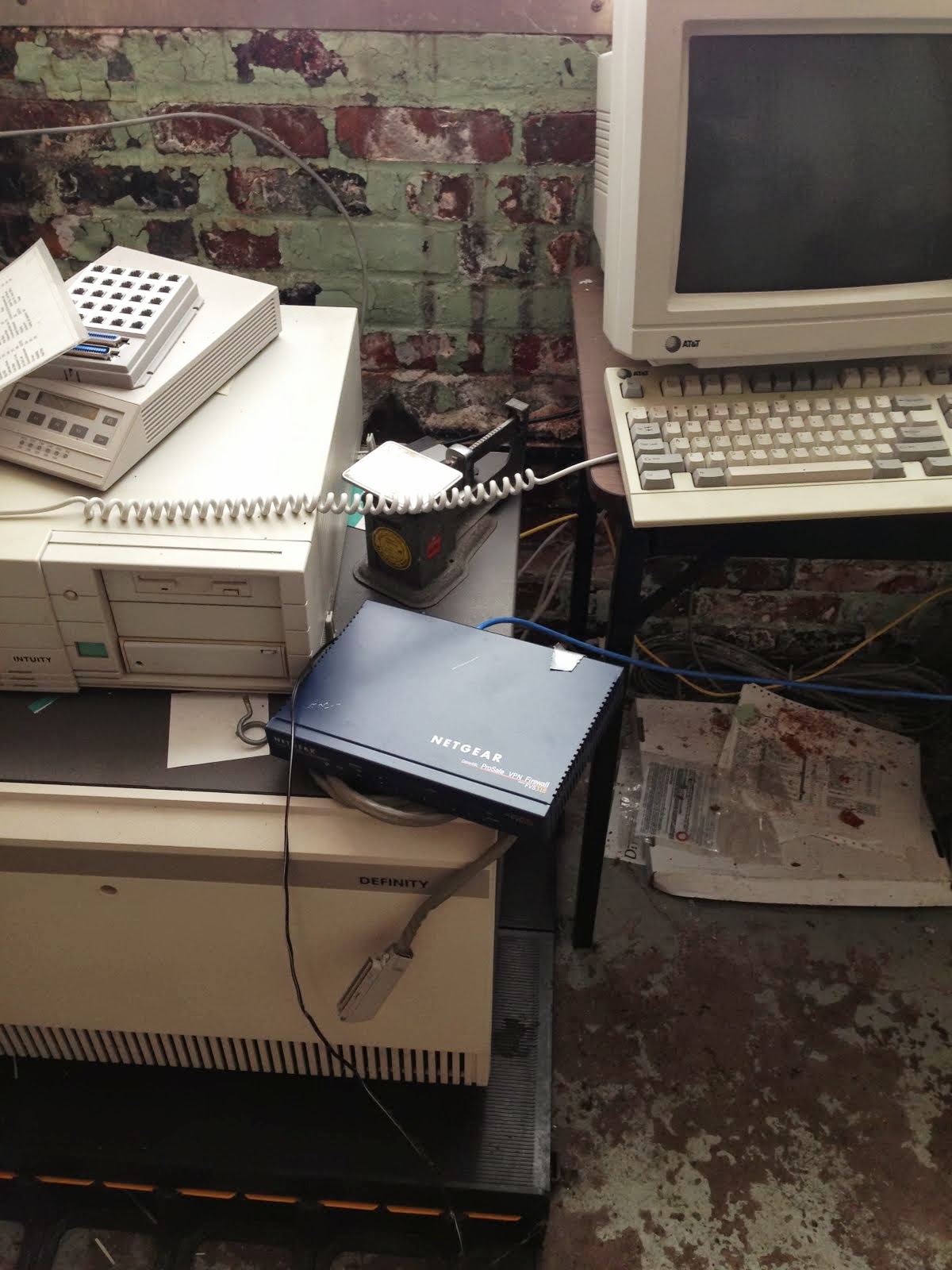
    • A Netgear VPN/Firewall that appears to still be a current version. Need to see if there are firmware updates and such.
    • Two 16 port 10/100 switches. Will probably end up putting these into other sites.
    • A really nice drafting table that will become my new desk for up here.
  • Drafted up drawings for a water level sensor installation and shelf bracket. Not glamorous but it gave me an opportunity to work with some of the guys at Gilman.
  • Met with the company accountant. I'll probably be working with him as I work to get the books moved over to QuickBooks. Which I have no idea how to do... :)
  • Researched how to secure the network at a hydro site. Talked to a cisco representative about the ISA550W which looks like a good solution. Talking with them more on Tuesday.
  • Researched security camera systems for the hydro sites. Looking at a Swann system because they're reasonably priced and seem to have the features we need.
  • Worked on the company logo. Making some progress with it. It's still not quite what I want.

Not exactly what I signed up for (yet) but I got to work from home a lot this week. There's no office set up, so if I'm not at the Gilman site them I'm just at home. Hopefully we can get that taken care of this week and get the additional equipment ordered for the office. For general research the 13" MBP Retina works great but when I sit down to work on the logo and stuff I really want a larger monitor and a Wacom...

I'll leave you with a picture from the Flume...


Radiator bleeding by sunset

So...

$800 later my van is fixed. Good looking body work, paint is a bit off, and a new water pump. Yay! So apparently a car who's radiator is on the entire opposite end from the engine is a bit of a PITA when it comes to bleeding the system. Also apparently, the guy I took it to didn't know how to do it...

So...

We ended up driving to littleton, almost overheating the van, and waiting in a grocery store parking lot for my dad to come help. Eat your heart out AAA... So he and I jacked up the van and were bleeding the radiator right there in the parking lot. Good times.

Really though, God uses all things for his glory and man, did we ever see his glory in that parking lot.


And we did finally get home. 

A ghost town attached to a hydro site

I mentioned the other day that the Gilman site used to be a paper mill and that the majority of the mill was now unused. Actually, I think my words were that the rest of the mill was dead. There are different flavors of dead at the mill.

There's the upper middle section that housed the paper machines themselves. Those areas are industrial dead. There's minimal lighting and tons of junk lying around. We're trying to sell the machines so we're trying to "preserve" it a bit with as little effort as possible. The outside of that area of the building looks pretty awesome. The paper machines ran so hot that there's tons of HVAC mounted on the outside of the building.


I love it.

The next section of the mill is the nasty middle office area. While not nasty back in it's day, these lower level mill offices were used for managing the floor. Unfortunately, the roof failed...

Now it's all black mold and water damage. It's so bad I want to hold my breath while walking through it. I was exploring one day during the rain and it's just terrible. There's water coming in everywhere and a storm drain pipe split on the floor and just pours water in. It's just nasty.

Then we come to the "abandoned" type of dead of the main administrative offices. This area looks reasonably normal if a bit neglected. The really disconcerting part of it is that every calendar still shows 2007. There a few areas where unopened mail is still sitting there post-marked 2007. We found someone's lunch (yuck) and a few other signs of an unexpected closure. 

(Coffee?)

Then there's just all the weird stuff you find lying around. We were scavenging primarily for furniture but we were also just looking for anything that might be useful. The guy who ran the mill when it closed already grabbed a bunch of stuff and I heard that one of our (former) operators had been stealing stuff from the front office as well. So we weren't sure how much we'd find. 

One strange one was a fairly modern router wired into the office network, plugged into an old APC power supply and still-on. There was no internet connection hooked in but it was placed near one. It was hacked in so strangely that it had to be reasonably new. 

Turns out we had tried to access some information off the old mainframe (VAX) when we first purchased the plant and had hacked in this network. Apparently it didn't work but I'm not sure what the goal was. That router came with us for use elsewhere.

I found a nice new laptop, the only one left probably. I expect any others were stolen. It's about 2" thick  and not very sleek. Pretty classic though. That keyboard has some serious travel too...
Damn kids and your trackpads...

Since furniture for PHS's new office was our first priority I was scrutinizing all the nice wooden desks in the administrative offices. They're all basically the same as the one above and not particularly interesting. Back at home I have an old oak drafting table that came out of another paper mill and I was hoping to come across something similar. Turns out I was in luck.


It doesn't particularly look like much here but that drafting table is incredibly solid and in really good shape. I'm excited to get it out of here and into our offices.

Overall there were some interesting and strange things we found while digging through the old mill offices. Overall it was just kind-of sad. Whatever happened it was very sudden and nobody really gave a crap. There's no sign of a bank coming through to sell off stuff. We just got the whole mill, as-is, when we bought the hydro portion. 

Our problem now...

Poverty...

I had an interesting experience this morning. I encountered a traffic jam in downtown Gilman VT. Now to most of us, a traffic jam is by no means unheard of and is certainly not something to write home about, but in Gilman VT?!? I figured there must be an accident. Turns out I was completely wrong.

I ended up going the opposite direction to check on the van before coming back and getting into line. A line was exactly what it was and I ended up driving around them. As I went by I realized that all these cars (and there were quite a few) were in line to pick up food from a food cupboard sort of truck. THAT is the kind of economy up here. It's a small town and the line for the drive through food cupboard was out into the street and down a block. With the paper mill closed (in 2007) there just aren't the jobs for people here. Another town nearby is struggling for the same reasons. There's just nothing for people to do. We employ about 10 people but can't support any more than that. I'm hoping that we can get other parts of the mill up & running and get a few more people back but it will never be able to support the town the way the paper mill did.

My previous company donated a pile of food to the food cupboard back in Rochester last year. I think I'm going to see if PHS wants to donate up here as well. There's definitely a need...

Thursday, June 13, 2013

Vanagon Update

I mentioned earlier that I hit a deer on my way up 91 in VT. It's been painful having it at the shop and I'm checking on it just about every day (it's around the corner from the Gilman site). So my super-bumpers managed to absorb most of the damage, but the deer hit at least a bit over the bumper. I'm not sure if it's because of hitting the brakes right before I hit the deer and having the nose dip allowed the deer to hit above the bumper.


Once we got it all apart it turned out I was really lucky it missed my condenser and my radiator. I took it to the Rock-n-Roll Garage in Gilman VT and they dug right in and straightened out dents. You know you're in VT when the mechanic tells you that they had your car hooked up to a tree with a come-along in order to straighten a support piece. :)


Anyway. They got the nose mostly straight now. They'll be repainting it tomorrow probably. I'll be stopping in to see how it's going. So far so good.